
Instant Lead Capture (Most Effective)
The Instant Lead Capture is a massive upgrade for your conversion strategy. It is the ultimate frictionless net for capturing top of funnel traffic, and setting it up correctly will completely transform how you generate pipeline.
If you are tired of capturing fake contact information and unverified names, the Instant Lead Capture is your ultimate solution. This feature provides the absolute fastest way to turn anonymous website visitors into verified, Engaged prospects without requiring a single line of code.
The Marketer Advantage
By placing the Instant Lead Capture on your highest traffic pages, or even across all pages on your entire website, you are casting a massive, frictionless net. It allows you to passively capture high intent visitors who are interested in your brand but might not be ready to fill out a massive contact form or request a formal demo just yet.

How the Instant Lead Capture Works
The Instant Lead Capture is a smart, floating widget that gives every single visitor the opportunity to opt in with just one click on any page of your website. You can customize this prompt to offer standard email capture alongside powerful, one click social logins like Google, LinkedIn, Apple, and Microsoft.
When a visitor clicks to connect, you instantly receive verified, first party data that flows directly into the Engaged tab of your Funnel.
Why the Instant Lead Capture Outperforms Legacy Forms
- Double the Conversions: By removing the friction of typing out an email address and manually filling out fields, the one click social login routinely drives twice the conversion rate of traditional web forms.
- Built In Smarts and Zero Conflict: The widget is designed to be completely unobtrusive and highly intelligent. It collapses automatically on scroll so it never disrupts the reading experience. If a visitor actively closes the widget, it remains hidden for twenty four hours before ever presenting itself again. Furthermore, we built in smart logic so it works flawlessly and never conflicts with your other active conversion tools, like the Content Gate or the Contact Intelligence tool.
- The One Time Conversion Guarantee: Unlike other products that constantly force your prospects to retype their information for every single download, the Instant Lead Capture provides a true frictionless experience. The moment a visitor is converted, they are issued a secure session across your entire website. We never bother them again. They will never have to enter their email or click a social login again to bypass any of your forms or access your gated content.
- Pristine Data Quality: Because social platforms require real identities, you completely eliminate fake test entries. Every visitor captured through the Instant Lead Capture is a verified professional ready for your Nurture Action Queue.
- Instant CRM Sync: The exact moment a visitor opts in, their enriched profile is captured. From there, your automation rules can instantly sync their verified data directly to your CRM so your sales team can take immediate action.
Customizing Your Instant Lead Capture
Within the Bread and Butter WordPress plugin, you have absolute control over how the Instant Lead Capture looks and behaves. You can customize its position, success message, visual theme, header text, and the specific prompt your visitors read.
You can configure these settings globally so they apply to your entire website, or you can tailor them individually on a specific page. Please note that any settings you apply directly on a page will always override your global settings.
Global Customization Settings To set your global defaults, open your WordPress Admin dashboard, click on Bread and Butter in the left menu, and select Instant Lead Capture. From here, you can adjust the following features:
- Positioning: Adjust the vertical and horizontal position to perfectly align the widget with your website content. You can set specific margins to create space above, below, left, or right of the widget so it never covers your important text.
- Popup Delay: Choose exactly how many seconds a visitor should be on the page before the widget appears. If you want it to appear immediately on page load, simply leave this field blank.
-
Success Message: Set a custom message that your new leads will see immediately after opting in. You can also define exactly how many seconds this message remains visible before disappearing. If left blank, it defaults to five seconds.
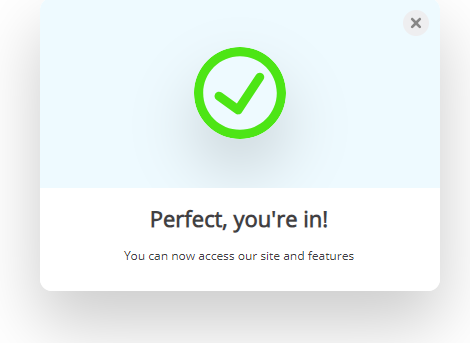
- Hide for Returning Users: If you are strictly focused on net new pipeline generation, check this box. When enabled, returning users who have already converted will not see the widget again, providing them with a completely frictionless reading experience.
- Dynamic Header Text: Adjust the text that appears at the very top of the widget. You can set different messages for a New User versus a Returning User. If you have a Display Name set in your General Settings, the widget will dynamically include it. You can also use the %APP_NAME% parameter to automatically insert your application name.
-
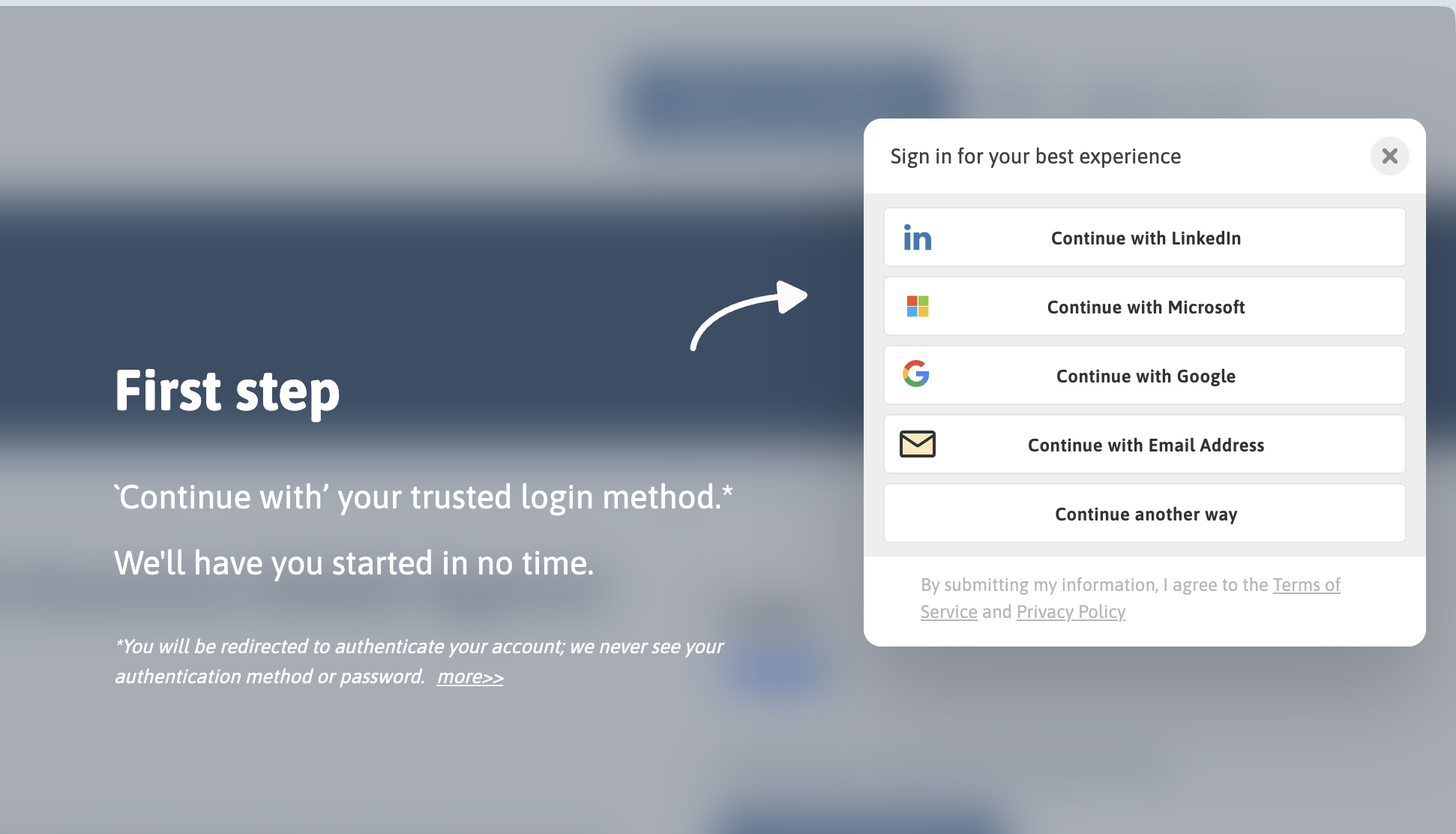
Focus Mode & Explainer Text: Configure the messaging that appears alongside the sign in prompt when it triggers a beautifully blurred background. This helps focus the visitor entirely on the opt in step. You can also customize the default paragraph text to clearly explain the value of subscribing, and use the Expand Label to prompt users to read more details.
Per Page Customization
If you want a specific landing page to have a completely unique layout or message, you can easily override the global settings.
- Open the specific page or post in your WordPress editor.
- Click the Bread and Butter logo at the top right of the screen, or click the Options button and select Bread and Butter under Plugins.
- Adjust the Position, Success Message, Authentication Prompt, or Button Style specifically for this page.
- Under Advanced Settings, you can choose to display the identity provider options as either Icons or Tiles.
Important Note: For global changes, always remember to click Save at the bottom of the settings page. For per page customizations, click the Publish or Update button on your WordPress post to make the changes live.
Triggering the Instant Lead Capture via Button Click
Sometimes you do not want the widget to float passively. Instead, you might want it to trigger only when a user clicks a specific call to action button on your landing page. You can easily accomplish this using a simple shortcode block.

- Find the page or post where you want the button to appear and open it in the WordPress editor.
- Place your cursor exactly where you want the button to live.
- Click the Toggle block inserter, search for Shortcode, and select it.
-
In the shortcode block, enter your button code using underscores for the command:
[breadbutter_continuewith_button]Sign in here[/breadbutter_continuewith_button]You can replace the "Sign in here" text with any custom label you prefer.
Advanced Shortcode Parameters You can also set specific parameters directly within the shortcode to change how the widget behaves for this specific button.
- show_login_focus: Set to true or false to display the background blur and prompt text.
- continue_with_position: Override the default location on the screen.
- css_class: Apply your own custom CSS styling to the button.
- destination_url: Set the exact URL visitors will be redirected to immediately after converting.
- on_login: Set a javascript function that the button calls once the user is in a signed in state.
- locale: Change the specific paragraph text inside the prompt screen.
Here is an example of what a fully customized shortcode looks like:
[breadbutter_continuewith_button show_login_focus=true css_class="new_class_for_button" destination_url=""]Get Free Access[/breadbutter_continuewith_button]
Additionally, you can change the text in the authentication prompt screen with the following parameter:
locale='{"POPUP":{"TEXT_1":"Paragraph1","TEXT_2":"Paragraph2","TEXT_3":"Paragraph3","TEXT_3_2":"Paragraph32","MORE":"More"}}'
Adding Instant Lead Capture to Your Navigation Menu
The Bread and Butter Instant Lead Capture tool allows you to seamlessly add a dynamic Sign up / Sign in option directly to your website's main navigation. When clicked by an unauthenticated visitor, it beautifully prompts them to authenticate. Once they are securely signed in, the menu item automatically updates to display the user's name, expanding to reveal a secure Sign Out button when clicked.

Follow these simple steps to add this powerful conversion tool to your page header:
Step 1: Access Your WordPress Menus In the left menu of your WordPress Admin dashboard, click on Appearance, then select Menus.
Step 2: Enable CSS Classes At the top right of the screen, click on Screen Options and ensure the box next to CSS Classes is checked. This allows you to apply our specific targeting code to your menu item.
Step 3: Select Your Target Menu If you have more than one menu, choose your primary Header menu from the dropdown under the Edit Menus tab and click Select. If you only have one menu built, it will be automatically selected for you.
Step 4: Create a Custom Link Under the Add menu items section, expand the Custom Links tab.
- For the URL, simply enter:
# - For the Link Text, enter:
Sign InThen, click Add to Menu.
Step 5: Locate the New Item Under your Menu structure, find your newly created Sign In link at the very bottom of the list and click to expand its settings.
Step 6: Apply the Custom CSS Class In the CSS Classes field, enter the following specific class exactly as written: bb-signup-signin

Step 7: Save and Launch Click Save Menu to apply your changes. Your Instant Lead Capture tool is now perfectly integrated into your site navigation! You can visit your homepage to see it in action, and log in to experience the seamless authenticated state.
(Note: You can also embed this tool directly onto any specific page using a dedicated shortcode if you prefer an inline approach!)