
What is Google Account SSO? (Supporting Google for Single Sign-On)
Google Account SSO lets anyone with a Gmail or Google Workspace account (formerly G Suite) use that account to sign in to another website or app, instead of creating a new username and password. Bread & Butter supports Google as a single sign-on option across its website tools, so your visitors connect with one click and you receive a verified email address.
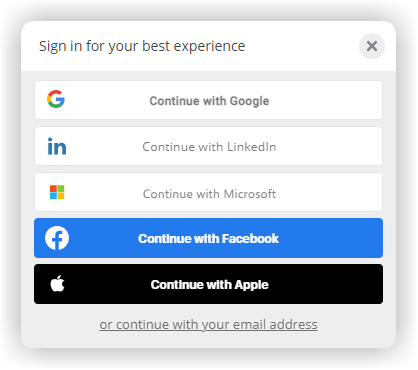
In short: With Google Account SSO, a visitor clicks "Continue with Google", confirms on Google's own screen, and is connected to your site with the Google account they already use. They don't create a password, your site never sees one, and you receive their verified name and email address. In Bread & Butter, Google is one of the Social Logins you turn on under Settings, then Global Conversion Methods. It works in the Continue with widget on your existing forms, in content gates, the Subscription Booster, the Account Widget and the WordPress sign-in page. Bread & Butter maintains the connection with Google for you, and every Google connection appears in the visitor's User Journey alongside every other method.
How Google single sign-on works
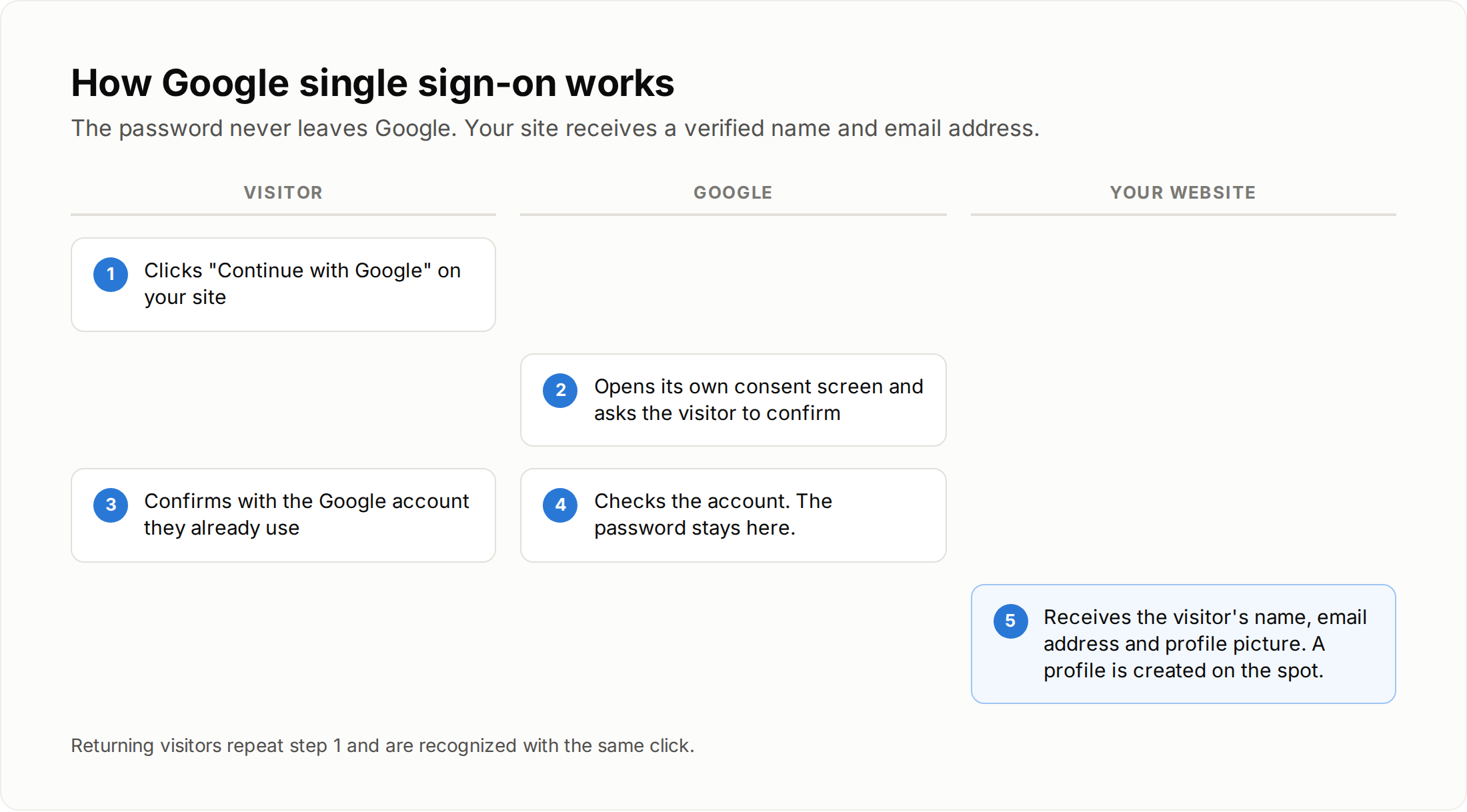
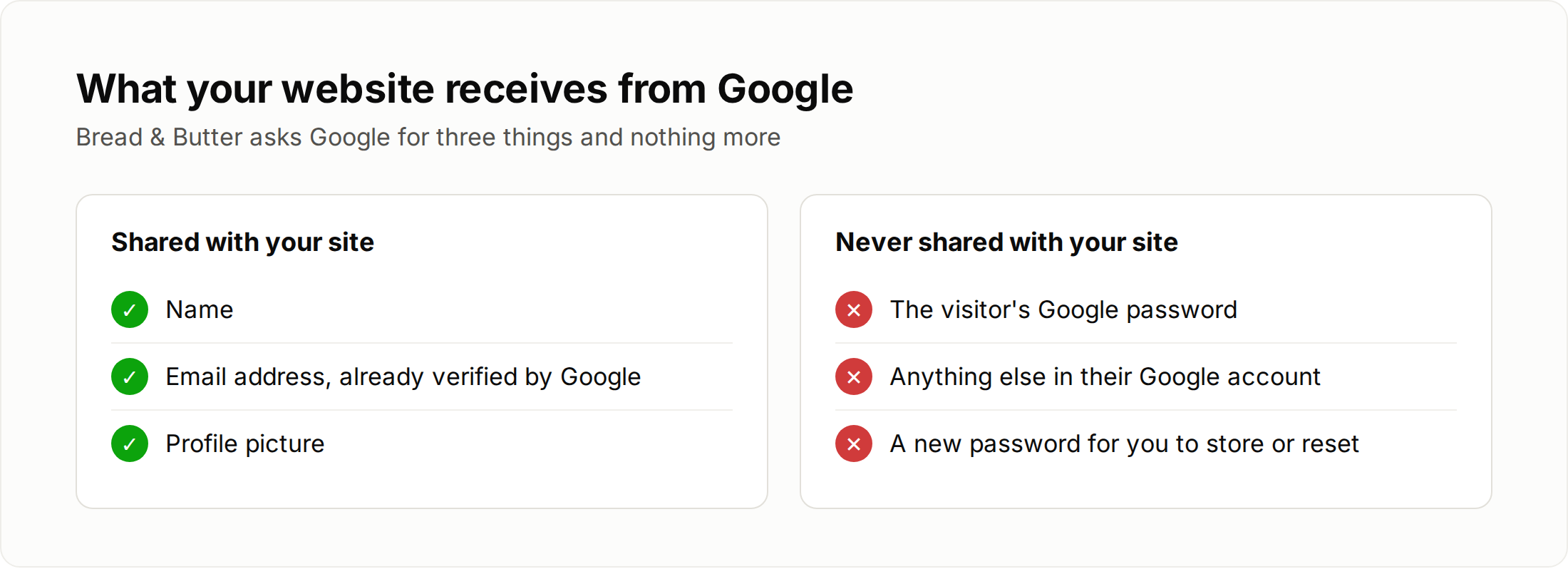
A visitor clicks Continue with Google on your website. Google opens its own consent screen and asks them to confirm. Once they do, Google tells your site who they are: their name, email address and profile picture. That is all Bread & Butter asks Google for.
The password never leaves Google. Your website doesn't receive it and doesn't store it, so there is nothing for you to protect or reset. A new visitor gets a profile on the spot, and a returning visitor is recognized with the same click.
Why offer Google on your website
What you get
- Verified email addresses. Google has already confirmed the address, so there are no typos, made-up addresses or dead inboxes.
- More people finish. A familiar button is quicker than a form, and many people trust Google more than a sign-up form on a site they've just found. Whether social login changes how many people convert is covered in Does using social logins instead of a simple email field decrease my conversion quantity?
- Less spam. Getting past Google's own screen is much harder for a bot than filling in a text field, so automated junk mostly moves on.
- No passwords to manage. No reset requests for your team to handle, and no stored passwords to protect.
- A large audience that's already there. Gmail and Google Workspace are used by a huge number of people and businesses. If your customers work in Google every day, most of them are already signed in to it in their browser.
What your visitors get
- One less password. Nothing new to create or remember.
- Speed. One click the first time, and one click when they come back.
- Better security. People who make up a password for every site tend to reuse it or pick a weak one. With Google, they rely on their Google account's security, including two-step verification if they use it.
- Privacy. Their password is never shared with your website.
What happens in Bread & Butter when a visitor connects with Google
The moment a visitor connects with Google, they become an engaged lead with a verified email address, and the event shows in their User Journey as Profile Verified. Everything recorded since their first visit, including the pages they read and where they came from, is attached to their profile. Profile Enrichment then researches their professional profile and company, so your team knows who they are before anyone reaches out.
Building Google SSO yourself
You can build a Google integration yourself, but it comes with costs that are easy to underestimate.
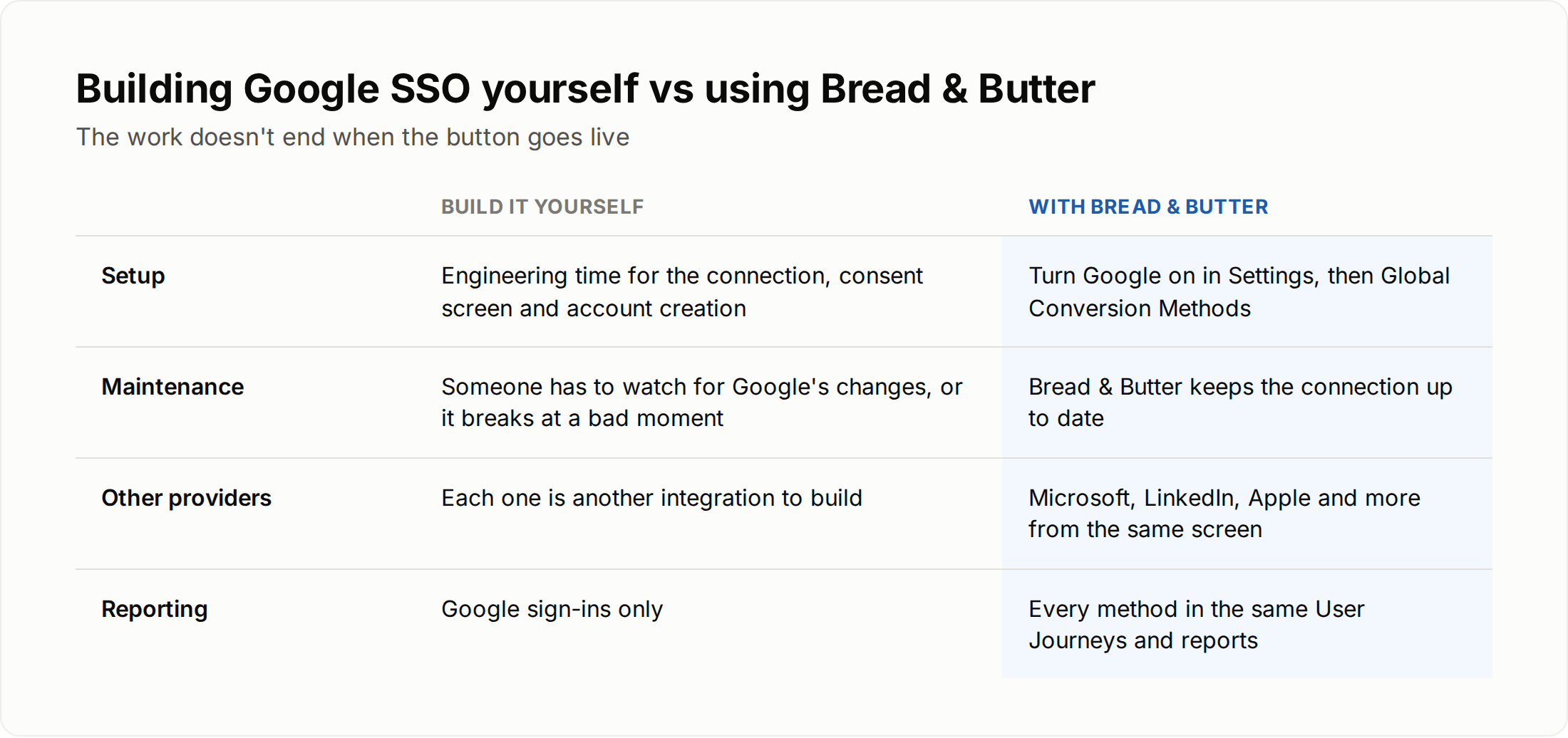
- Development time. Setting up the connection, the consent screen and the account creation behind it takes real engineering time.
- Ongoing maintenance. Google changes its requirements for consent screens, verification and permissions from time to time. A self-built integration needs someone watching for those changes, and it tends to break at the worst possible moment. Bread & Butter maintains the connection and keeps it up to date for you.
- Google data only. A self-built integration only tells you about Google sign-ins. With Bread & Butter, Google sits next to Microsoft, LinkedIn, Apple, email and your existing forms, and every method lands in the same User Journeys and reports.
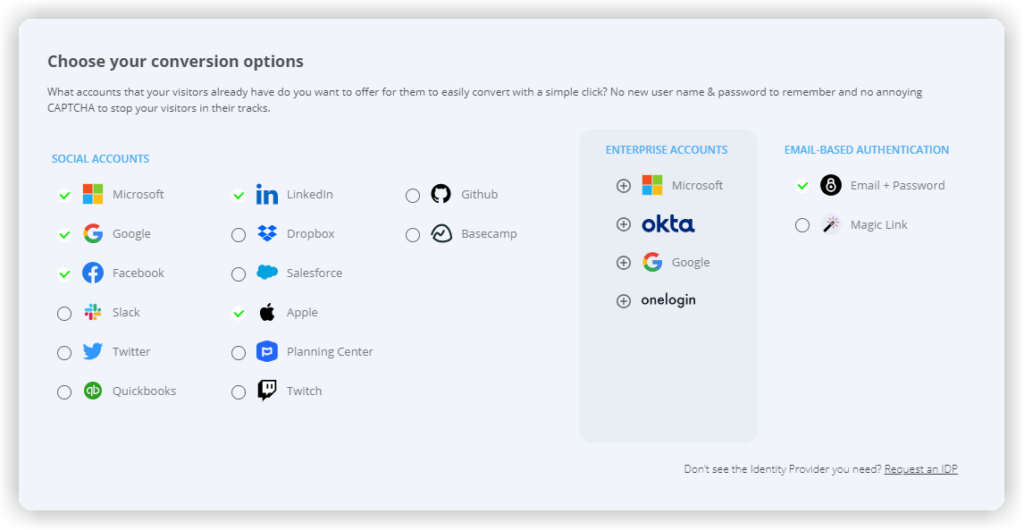
How to add Google to your website with Bread & Butter
Show Image
- Install Bread & Butter on your website, with the WordPress plugin or the tracking code.
- Turn on Google. In Bread & Butter, open Settings, then the Global Conversion Methods tab, and make sure Google is enabled under Social Logins. Drag it to the top of the list if you want it to show first.
- Choose where the button appears. Add the Continue with widget to your existing forms, gate content with a content gate, or use the Subscription Booster, the Account Widget or the WordPress sign-in page.
- Put your own brand on Google's screen. Google starts in Sandbox Mode so you can test straight away, but visitors see Bread & Butter's name on the Google consent screen. Before you launch, create your own Google Cloud credentials so the screen shows your brand. Google (Gmail + Google Suite) walks through it step by step. To keep visitors on your own domain throughout, set up the Custom Auth Domain tab as well.
Related
- Google (Gmail + Google Suite)
- Does using social logins instead of a simple email field decrease my conversion quantity?
- How does Bread & Butter eliminate spam without making me rebuild my existing web forms?
- What types of content gates do you offer, and when should I use them?
- How does Bread & Butter verify leads and enrich profiles?