
What is the ideal type of content to gate behind a social login?
Deciding what to gate and what to leave open comes down to one idea: the value exchange. Even though Bread & Butter's 1-click social login takes away the friction of typing out a form, you are still asking a buyer to hand over their verified professional profile. Ask for that in return for a basic blog post and they will bounce. Offer something that saves them time, makes them money or gives them an edge, and they will click without thinking twice.
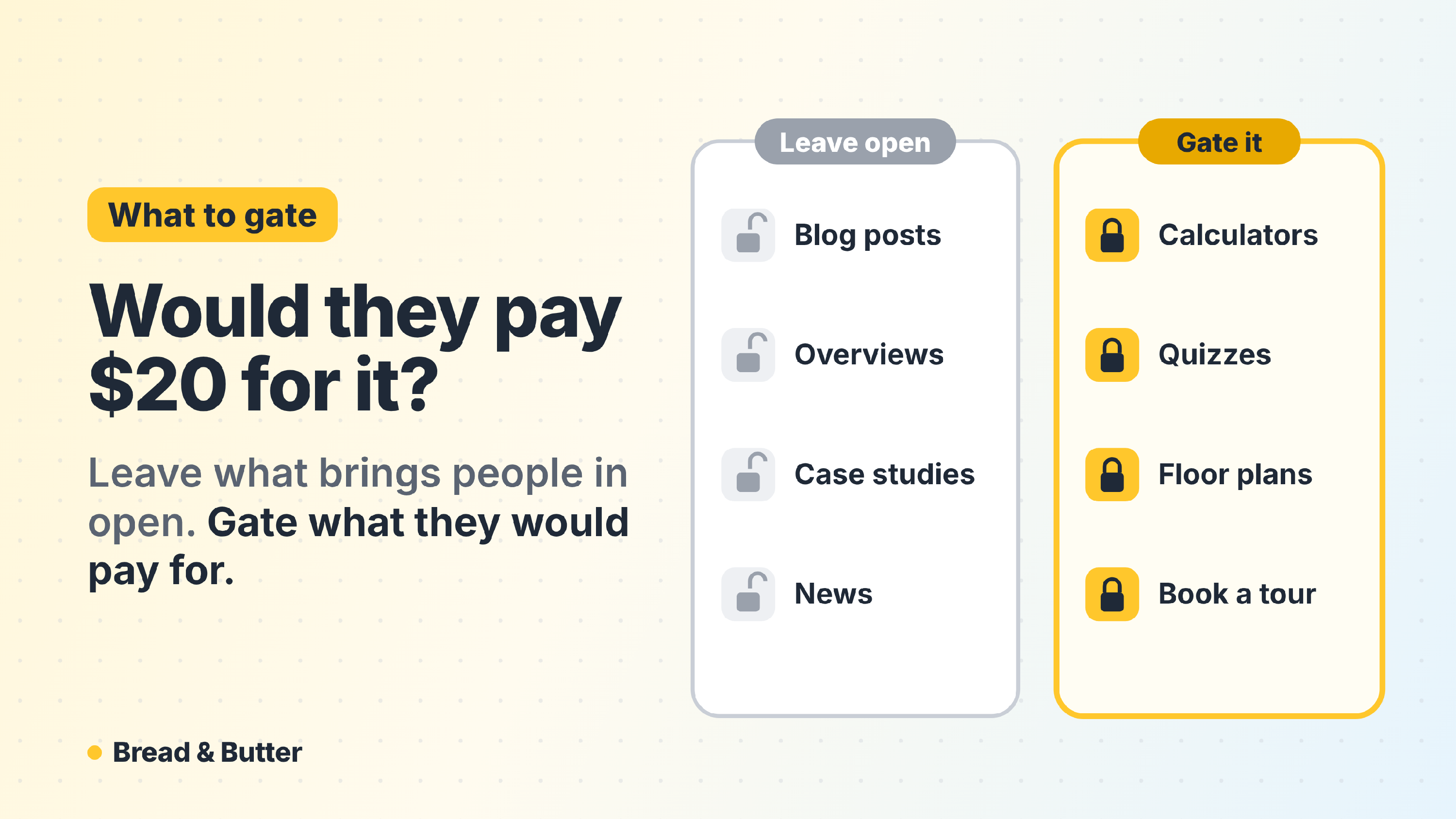
In short: Gate the assets a buyer would genuinely pay for, and leave everything built for reach and reassurance open. Original research, calculators and tools, quizzes, webinars, templates and your booking calendar are the assets worth a 1-click social login; blog posts, product overviews, basic case studies and press releases are not. The test is simple: if the content is good enough that someone would pay $20 for it, put a gate on it. A good gate on the right asset can multiply the leads a website brings in: one Bread & Butter customer gated a quiz that used to be free and brought in more than 12 times the leads its forms collected. If you'd rather not choose the pages yourself, Lead Gen Autopilot picks them for you.
What to leave open and what to gate
The free zone, or what not to gate
This is the content built for search, for brand awareness and for earning a first bit of trust. It should be completely frictionless and open to visitors you know nothing about yet.
- General blog posts and articles.
- High-level product overview videos.
- Basic case studies and customer testimonials.
- Press releases and company news.
Gating any of this costs you reach and buys you very little in return. These pages still do real work for you, because the tracking script is recording the journey from the first visit whether or not anyone has given you an email address. You are not losing that traffic by leaving it open. You are building the history that makes the eventual unlock meaningful.
The premium pipeline zone, or what to gate
This is your middle-of-funnel and bottom-of-funnel material. It took real effort to produce, it carries insight the visitor cannot get anywhere else, and reaching for it says something about intent. When a buyer uses a 1-click social login to open one of these assets, that action feeds straight into their Focused Score.
- Original research and industry reports. Buyers want fresh data they cannot get elsewhere. If you surveyed your industry or analyzed trends nobody else has, gate the full report.
- Actionable tools and calculators. ROI calculators, audit tools and pricing estimators are high value because they give the buyer something immediate and personalized.
- Quizzes and matchers. "Which model suits you?", "Find your floor plan", "What can you afford?" The visitor answers a few questions and wants the result. Gate the result, not the questions.
- Exclusive webinars and masterclasses. Live or on-demand sessions with expert speakers, or deep dives into complex strategy.
- Ready-to-use templates and frameworks. Things like "The Ultimate Q3 Board Deck Template" or "Our 10-Step Go-To-Market Checklist." Templates save hours of work, which is why buyers happily trade a profile for them.
For real estate, resorts and other big purchases
The same test works when you sell homes, memberships or anything people research for months. Worth gating: floor plans, brochures and price lists; an area or lifestyle guide that goes deeper than your website does; a cost, mortgage or ownership calculator; and booking a tour or a viewing. Leave your listings, your community pages and your photo galleries open, because those are what bring people in.
A gated quiz: more than 12 times the leads
Go RVing Canada had an RV match quiz that visitors could take for free. They put a one-click gate in front of the result: visitors still answer the questions, then continue with Google, Microsoft, LinkedIn, Apple or a verified email address to see their match. The website went on to bring in more than 12 times the leads its forms collected.
Nothing about the quiz changed. The difference is that the people who were already using it, and who were plainly in the market, now arrive with their name, a researched profile and everything they read before.
Do not forget the booking calendar
The asset most companies leave ungated is the one with the highest intent of all: the "book a demo" or "book a call" button. Someone clicking to schedule time with your team is further along than anyone downloading a report, and yet on most sites that click hands you nothing until the booking is confirmed, and sometimes not even then.
You can put a gate in front of the booking calendar in exactly the same way you gate a report. It works with Calendly, with Google Calendar, or with a custom calendar you have built yourself. The visitor clicks, uses the social login, and books. The difference is that the highest-intent click on your entire site now arrives as a named lead attached to a full journey, rather than a calendar invitation with an email address and nothing behind it.
It also catches the people who click to book and then hesitate. They are on your list and in your Focused Tab either way, which is a group worth following up with.
Let Lead Gen Autopilot choose for you
If you'd rather not pick the pages yourself, switch on Lead Gen Autopilot. Its Auto-Gate reads your pages, picks the ones worth gating using this same test, writes a title for each pop-up about that page, and learns from your own visitors when to ask. It never gates your home page, pricing or the pages people need open. See How does Lead Gen Autopilot get you more leads from the traffic you already have?
What happens after someone unlocks
Every person who opens a gated asset becomes an Engaged Lead. On the Pro plan they're researched straight away, and the full profile reaches your team in real time by email, in your CRM or in Slack, with everything they read before. From then on, your sales team gets a flag every time that person comes back to the website, so they follow up when someone is back looking, not on a fixed cadence. See The Intelligence Brief.
The golden rule
Before you put a Bread & Butter social login gate on an asset, ask yourself one question: is this content good enough that someone would actually pay $20 for it?
If the answer is yes, gate it. You will capture verified profiles from your most engaged buyers, and you will know who they are long before they fill in anything else.
Related
- How does Lead Gen Autopilot get you more leads from the traffic you already have?
- What are the real benefits of content gating, and does it actually improve lead quality and quantity?
- Why do I need to create an account to gate some content?
- Instant Lead Capture (Most Effective)
- The Intelligence Brief: Living Context in the Tools Your Team Already Uses
- What is Focused Score and how does it evaluate my traffic?
- What is the Focused Tab, and how is it different from Engaged Leads?