
Which AI model should I use to run my Bread & Butter reports?
Who this is for: anyone who runs the Bread & Butter reports in their own AI assistant.
What you'll learn: why the model your assistant runs on decides how good the report is, which models to use, how to tell when a report has gaps, and what to do about it.
When you ask your AI assistant for a Bread & Butter report, Bread & Butter sends it the report and the data, and your assistant does the rest: it asks Bread & Butter for each number the report needs, reads the answers, writes the findings and builds the page. How well it does that depends on the model it runs on. A capable model asks for everything and reads it carefully. A small or fast model takes shortcuts.
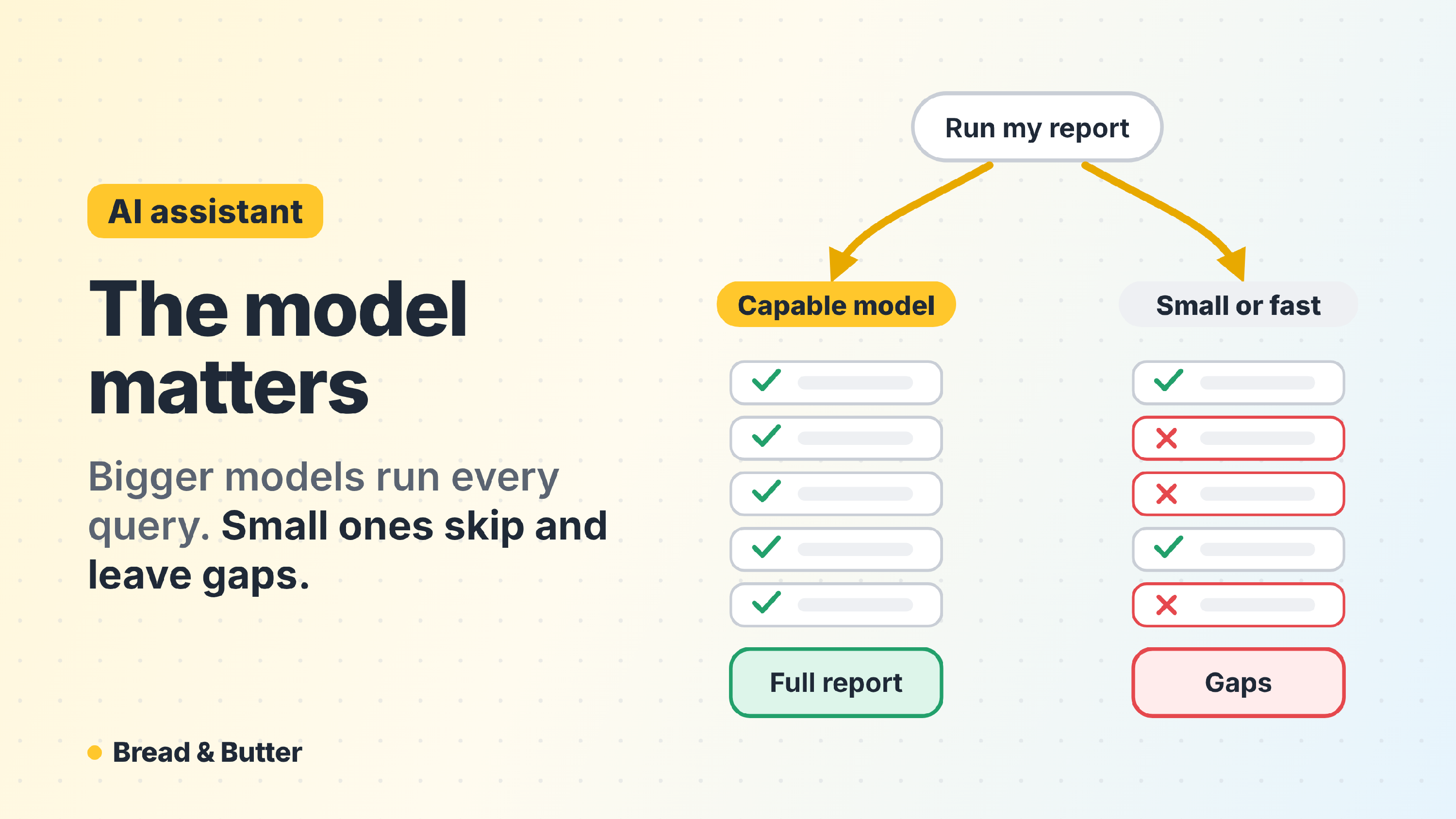
In short: Run your reports on the most capable model your assistant offers. The reports were built and checked with Claude's most capable model. In our tests, smaller and faster models (Claude Haiku, Gemini Flash, GPT-4.1 mini) skipped many of the questions a report needs to ask Bread & Butter, then filled the gaps with numbers and sentences that weren't in the account's data. When you start a report on one of them, the report tells you first that it may have gaps and suggests a larger model. The numbers always come from Bread & Butter; the model decides whether it asks for all of them.
Why the model matters
Each report asks Bread & Butter many questions. A report doesn't arrive finished. Your assistant asks Bread & Butter for each part of it: the period's visitors, the sources, the campaigns, the people, the pages, and the period before for the changes. Running every report at once takes more than a hundred of these questions.
Small models skip questions. In our tests, the smaller models asked for only part of the data. One of them ran about a third of the questions across the reports, and returned one report with no data in it at all. The cards that were never asked for didn't stay empty: the model wrote something anyway.
Small models read less carefully. Even when the data is there, a smaller model is more likely to misread it, miss what matters, or recommend something the data doesn't support. The recommendations in every report are written by your assistant, not by Bread & Butter. See Bread & Butter MCP server connections.
Which model to use
Pick the most capable model your plan offers, in the model menu of your assistant:
- Claude: the most capable model in the menu, not Haiku. This is the model the reports were built and checked with.
- ChatGPT: the most capable model your plan offers, not a mini model. Free ChatGPT usually runs smaller models, and custom connectors need a paid plan anyway.
- Microsoft 365 Copilot: the model is set in the Copilot Studio agent your company built for Bread & Butter. Ask whoever manages it to choose the most capable one.
- Gemini: Pro, not Flash.
- Mistral Vibe: the largest model available to you.
A scheduled report runs on the model you chose when you set up the schedule, so check it there too. See Run your Bread & Butter reports on a schedule.
How to tell a report has gaps
- It warned you. When a report starts on a small or fast model, it tells you first that the report may have gaps.
- It came back very fast. A full report takes your assistant a while, because it asks for each part. A report that comes back in seconds usually skipped most of them.
- Cards say there's no data where you know there is. For example no campaigns when your ads ran all month.
- A number doesn't match Bread & Butter. Check any number you plan to act on against the same period in Bread & Butter.
- Something reads like an example. A business name that isn't yours, or a sentence that could be about anyone.
What to do about it
- Switch to a larger model and run the report again in a new conversation.
- Run one report at a time if your plan only offers smaller models. A single report asks far fewer questions than all of them at once.
- Ask your assistant to check its own work: "Did you run every query this report lists? Which cards are missing data?"
- Before you act on a recommendation, check it with a second assistant, or ask us and we'll go through the numbers with you: Contact us.
Each run uses credits, whichever model you choose. See How do Credits work across storage, syncing, and profile enrichment?